 Ohm
Ohm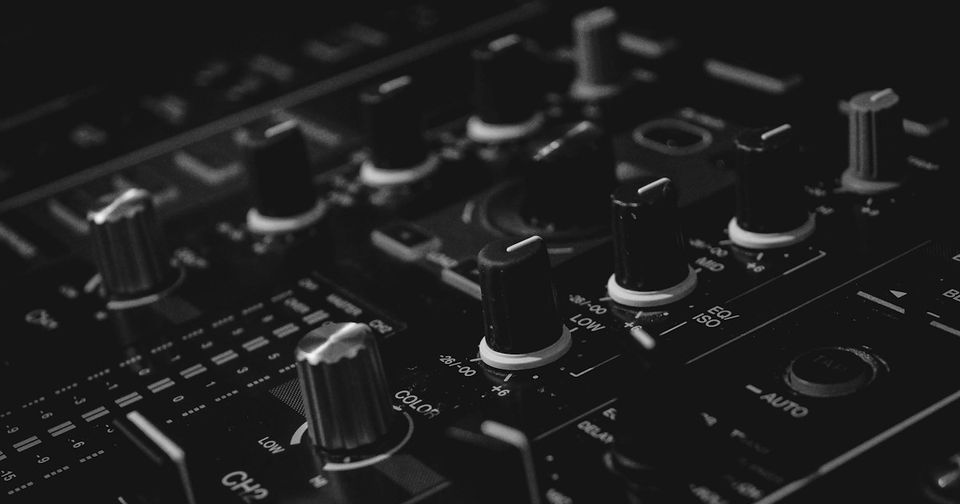
Every DJ mixer gives you the same three controls: low, mid, high. Learning how to use EQ when DJing well means understanding that those three knobs can do three genuinely different things, and most DJs use only one of them.
Three moves, not one
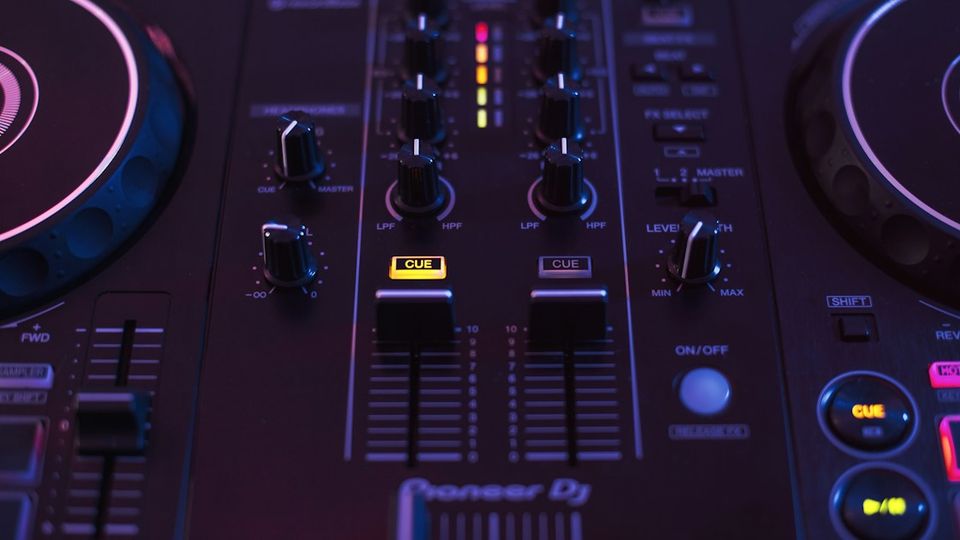
The kill is a full counter-clockwise rotation. The frequency band goes away. On Pioneer DJM mixers, a full kill is a steep attenuation, not true silence. The Allen & Heath Xone series takes a different approach: separate physical kill switches alongside the EQ knobs, designed to cut the band completely. Either way, the kill is blunt. Bass in, bass out.
The cut is a partial reduction. Anywhere from a small dip down to most of the band's energy removed, but not all of it. This is the underused tool. A 30% cut on the low band of your incoming track while the outgoing track's bass is still present blends the low end rather than handing it off in a block. Kills make hard edits. Cuts make transitions.
The boost behaves differently from everything else. Push any EQ band above unity and you are adding gain to a signal that is already calibrated to sit at the right level. In a club context, where the output of several channels gets summed at the master, boosting mid-frequencies on one channel can push the master into the red while every individual channel reads clean. Boost rarely. When you do (a track with genuinely thin hats or recessed bass), boost one band only, watch the master, and bring it back down.
What each band does in a transition
DJ mixers divide the audio spectrum into three fixed bands. The exact crossover frequencies vary by manufacturer, but the musical territory each band covers is consistent enough to work with.
The low band handles bass and sub-bass. Everything below roughly 250Hz: kick drum fundamentals, bass guitar body, sub pressure. This is where clashes are loudest and most obvious. Two kick drums from two tracks competing through both channels' full low range sounds like mud, or phase cancellation if the kick patterns don't align. This band almost always needs active management at a transition.
The mid band covers the body of most sounds, from roughly 250Hz to 3kHz. This range holds the main energy of vocals, the body of synths, the presence of strings, and the low-mid buildup that accumulates when two tracks with heavy content overlap. The buildup concentrates between roughly 300 and 600Hz. That range is also the hardest to hear accurately in a loud room because room resonances in this band reinforce it naturally. You hear it on playback. Clearly.
The high band (from around 3kHz upward) handles brightness, cymbal presence, and the attack of hi-hats. Clashes here are different. Instead of mud, you get harshness: a compressed, fatiguing density at the top end that makes the mix tiring to hear at any volume.
Identifying clashes before they happen
The 30 seconds around every transition is where DJ EQ technique gets tested. Two tracks are playing simultaneously. Their frequency content overlaps. If both carry full bass energy, you have two kick drums competing for the same space.
The approach that works: before you start a crossfade, identify the most prominent frequency range in the incoming track. Big, present kick: the outgoing track needs its low band managed downward before the transition is deep. Bright and percussive incoming: consider pulling the outgoing track's high band back before you commit to the blend.
You do not always need a kill. A cut of 30 to 40% on the outgoing track's low band while you fade in the incoming track, then a gradual release as the old track fades out, creates a low-end transition that sounds mixed rather than mechanically swapped. Bassline swapping (a full kill on the outgoing low before bringing in the new bass) is a legitimate technique. It is not the only one. In a long set it becomes a tic. Listeners notice the pattern.
What your recording reveals
Club acoustics actively hide EQ decisions. Bass frequencies reinforce in every room. The physical dimensions of the space create standing waves that add low-end energy you did not put there. A kick drum that sounded controlled in the DJ booth may have been reinforced by several dB of room gain at the room's resonant frequency. Your EQ choices compensated for an acoustic environment that does not exist when someone plays back your recording at home.
Headphone monitoring introduces a different problem. Bass response varies across DJ headphones. A pair with elevated low end will make every track sound as if it has more bass than it does. If you are calibrating your EQ blend by feel through headphones, you are calibrating against those headphones, not against the actual audio.
Play a recorded set back through a flat speaker (studio monitors, or a neutral Bluetooth speaker at home) and the EQ decisions become visible. Muddy transitions that got past you in the club sound murky. A kill that was half a bar too early stands out like a stutter. The recording doesn't lie.
This is the feedback loop. DJs who record consistently make better EQ decisions over time because they can hear the gap between what they intended and what they captured. The article Gain Structure for DJ Recording covers the parallel problem with levels; the EQ and gain issues often compound together in the same mix.
Using Ohm's track markers to run the audit
Ohm places an automatic track marker at every transition point in your recording. Load a set and every marker is a timestamp you can jump to directly. No scrubbing.
The audit process is short:
- Load the recording in Ohm and open the track list.
- Jump to the first transition marker. Listen to 30 seconds on either side.
- Note what happened with the bass. Did the outgoing track's low band get managed before the incoming track's kick was present? Was the handoff clean?
- Note what happened with the mids. Did the mix cloud up during the overlap? Which track was carrying the extra weight?
- Move to the next marker and repeat.
After a few sessions of this, a pattern emerges. One frequency range you systematically neglect, or one move you default to regardless of what's in the music. Identifying it is the first step to varying it.
More detail on how Ohm builds the track list from your recording is in How Ohm Marks Every Track in Your Recording.
An EQ checklist for recorded sets
Use this after any recorded set. Each transition gets a pass.
Low band:
- Was the outgoing track's bass managed before the incoming track's kick was fully present?
- Did you kill when a gradual cut would have served the blend better?
Mid band:
- Did the mix get cloudy during the overlap? Which track was the source of the buildup?
- Was the low-mid range (300 to 600Hz) left open on both tracks simultaneously?
High band:
- Did the transition sound harsh or dense at the top end?
- Did any track come in with high EQ boosted above unity?
Overall:
- Did you boost any band? If yes: did the master stay clean?
- One pattern repeating at every transition is a habit, not a style.
The point is not to grade every transition. Folamour, in a DJ TechTools interview, said he never plays a track with the EQs untouched. That kind of attention doesn't come from instinct. It comes from years of listening back.