 Ohm
Ohm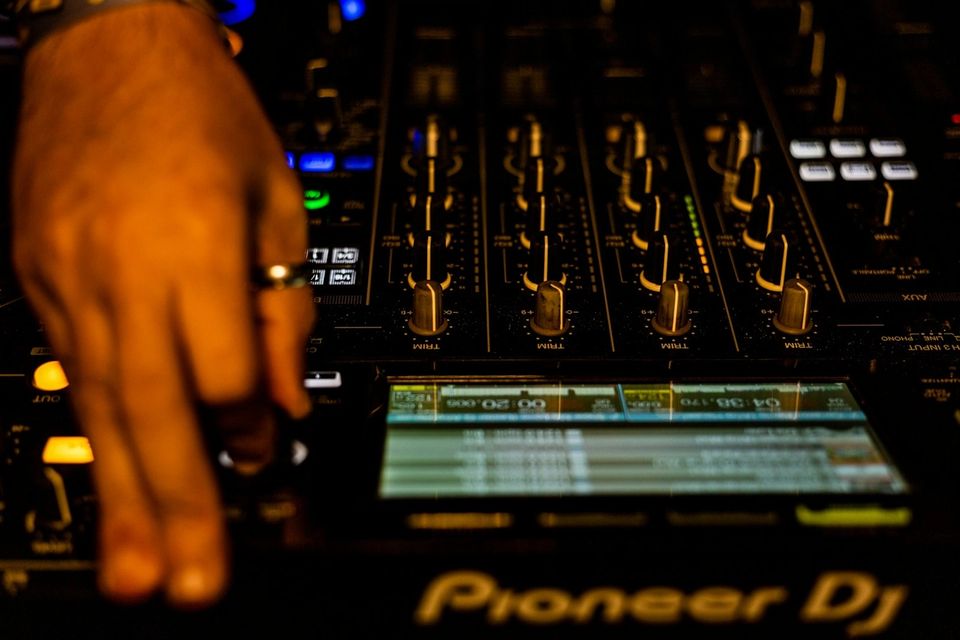
Record a set, play it back, and notice that nothing you did with the faders made it into the recording. Channels that were cut to silence in the mix play at full level. A transition built around a crossfader move sounds like a blend you never actually made. The audio captured what the sources were doing — not what you were doing with them.
This is the default behaviour of every Pioneer DJM mixer when connected via USB. It is not a fault. It is the result of how USB audio routing is set up on these mixers — and it is the specific problem Ohm solves automatically, before you press record.
Why mixers default to pre-fader
Pioneer DJM mixers use their USB audio channels primarily to support DVS software — Serato DJ Pro, rekordbox, and Traktor all rely on the mixer sending a constant, uninterrupted audio signal from each channel regardless of fader position. When a DJ using Serato rides the crossfader to silence a channel, Serato still needs to read the timecode coming from that channel to maintain its track position. If the USB audio followed the fader to zero, the software would lose its sync.
So the individual channel sends on Pioneer DJMs are pre-fader by default. Clean, constant, and unaffected by what you do with the faders. For DVS, this is correct. For recording a mix, it means the fader — the primary instrument of DJing — does nothing.
The full breakdown of pre-fader versus post-fader routing and what it means for recordings is in Post-Fader vs Pre-Fader Recording: Which Signal Path Captures Your Set.
The SysEx handshake
The solution is a PDJX SysEx command — a short sequence of bytes sent over USB MIDI from the recording app to the mixer. SysEx (System Exclusive) is a MIDI message type used for device-specific communication. The PDJX variant is specific to Pioneer DJ mixers.
This command sequence tells the mixer to switch its USB 1/2 audio output from the default DVS channel send to the Rec Out — the post-fader stereo master bus that carries the finished mix signal. Pioneer's own DJM-REC app sends this same handshake every time it connects. The community mapped the protocol by analysing DJM-REC's MIDI traffic.
Ohm sends this handshake automatically the moment USB connection to a compatible DJM is established. The mixer receives the command and switches routing. It doesn't care which app sent it. From that point, USB 1/2 carries the Rec Out, not the DVS channel send.
What Rec Out captures
The Rec Out is the post-fader stereo master. Every control in the signal chain between the audio sources and the output contributes to it. In practice, this means:
- Channel fader moves — in or out, the recording follows
- Crossfader cuts — scratch moves, hard cuts, transitions
- EQ changes — kills and sweeps, across all three bands
- Filter sweeps — any filter affecting output level or tone
- Master fader adjustments — any change to overall output level is captured
Pre-fader recording captures none of these. It captures the track playing at the level set by the trim control — nothing more. The Rec Out captures a performance.
How it works in practice
Connect your DJM to your iPhone via USB. Open Ohm. The SysEx handshake fires in the background as Ohm establishes the connection — no menu to navigate, no routing setting to find. By the time you see the record screen, the mixer is already sending the Rec Out over USB.
Press record and play your set. Every fader move from the first bar is captured. The routing holds for the full session.
When the set ends and you disconnect the USB cable — or close Ohm — the mixer reverts to its default DVS routing automatically. Your next Serato or rekordbox session picks up exactly where it left off.
The PDJX SysEx protocol is documented and used by Pioneer's own software. Ohm sends the same command for the same reason: getting the post-fader signal out of the mixer. The mixer doesn't distinguish between Ohm and DJM-REC. The result is the same.